Back to Blog page
Charles vs Postman
Postman and Charles – the dynamic duo revolutionising API testing and development.

Thanchila
Feb 27, 2024 • 9 min read
Postman, akin to a Swiss army knife, offers a user-friendly interface and a comprehensive suite of features tailored for API testing. On the other hand, Charles Proxy serves as your vigilant watchdog, enabling deep network traffic analysis and debugging.
In this blog post, we embark on a journey to explore the synergies between Postman and Charles, uncovering their respective strengths, collaborative potential, and how they can elevate your testing prowess to new heights. Join me as we navigate through the realms of API testing, armed with the formidable capabilities of Postman and Charles, empowering you to deliver superior software with confidence and precision.
What is Charles and Postman?
Charles Proxy and Postman are both popular tools used by developers and testers for API testing and debugging, but they serve slightly different purposes and have different feature sets.
Charles Proxy is primarily a web debugging proxy tool. It allows you to intercept and inspect HTTP and HTTPS traffic between your computer and the internet. With Charles Proxy, you can monitor network traffic, view HTTP requests and responses, set breakpoints to intercept requests, manipulate requests and responses, and simulate slower network connections. It's commonly used for debugging and analysing how web applications work, diagnosing issues with APIs, testing web services, and security testing.
Whereas Postman, on the other hand, is an API development environment. It provides a user-friendly interface for building, testing, and documenting APIs. With Postman, you can create requests using various HTTP methods (GET, POST, PUT, DELETE, etc.), set headers, add request parameters, organise requests into collections, and automate testing with scripts. Postman also offers features for mocking APIs, generating API documentation, collaborating with team members, and running automated tests. While Postman does allow you to view request and response details, it's more focused on API development and testing workflows rather than low-level network debugging like Charles Proxy.
Now let’s take a deeper dive into the pro’s and con’s of each tool.
How can we use Charles proxy?
1. We can monitor Network Traffic.
Charles Proxy provides detailed insights into HTTP and HTTPS traffic between your computer and the internet, allowing you to monitor requests and responses in real-time.
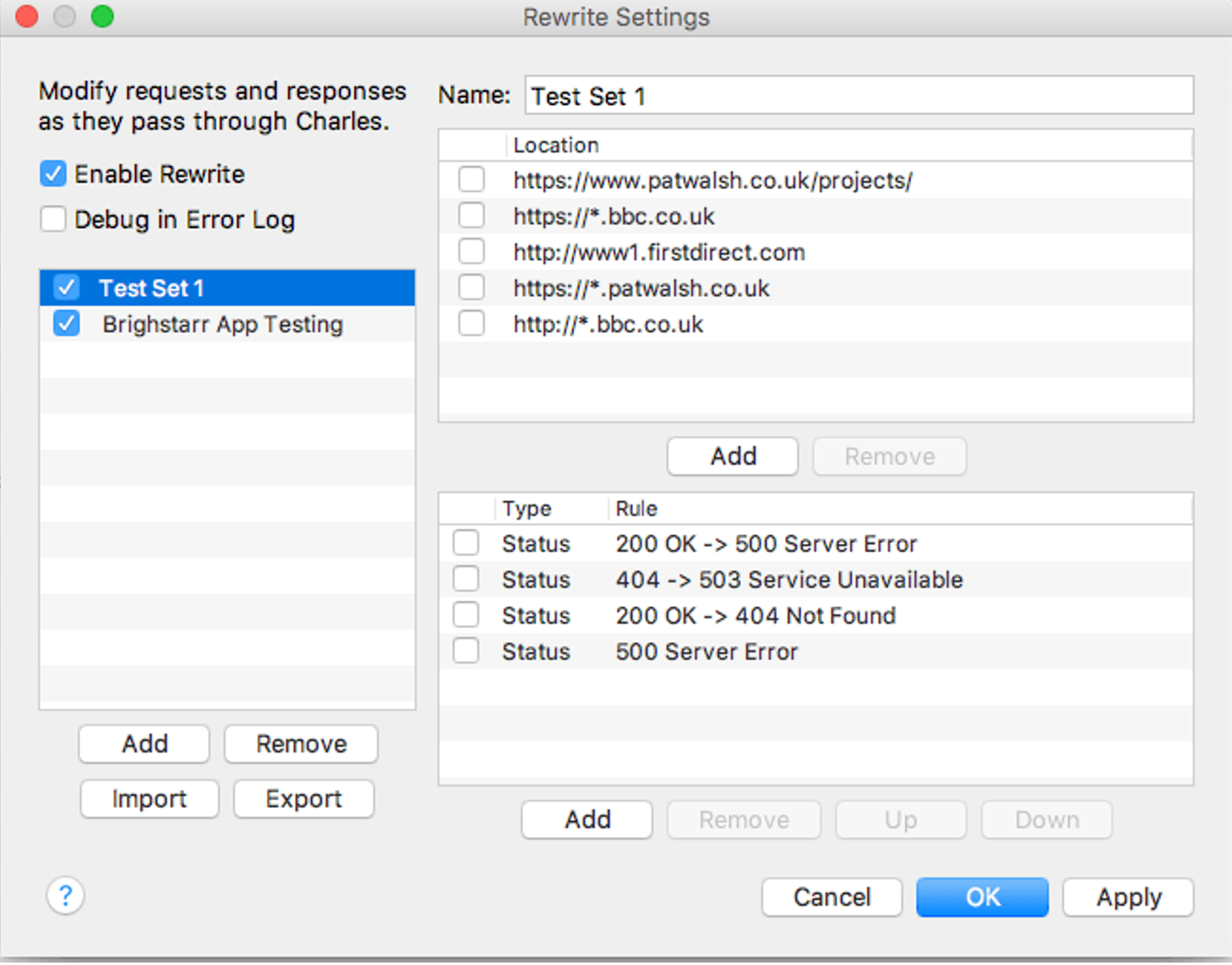
2. We can manipulate the request and responses.
It enables you to intercept requests and responses, modify headers, tweak payloads, and simulate various network conditions, which is extremely useful for debugging and testing purposes.
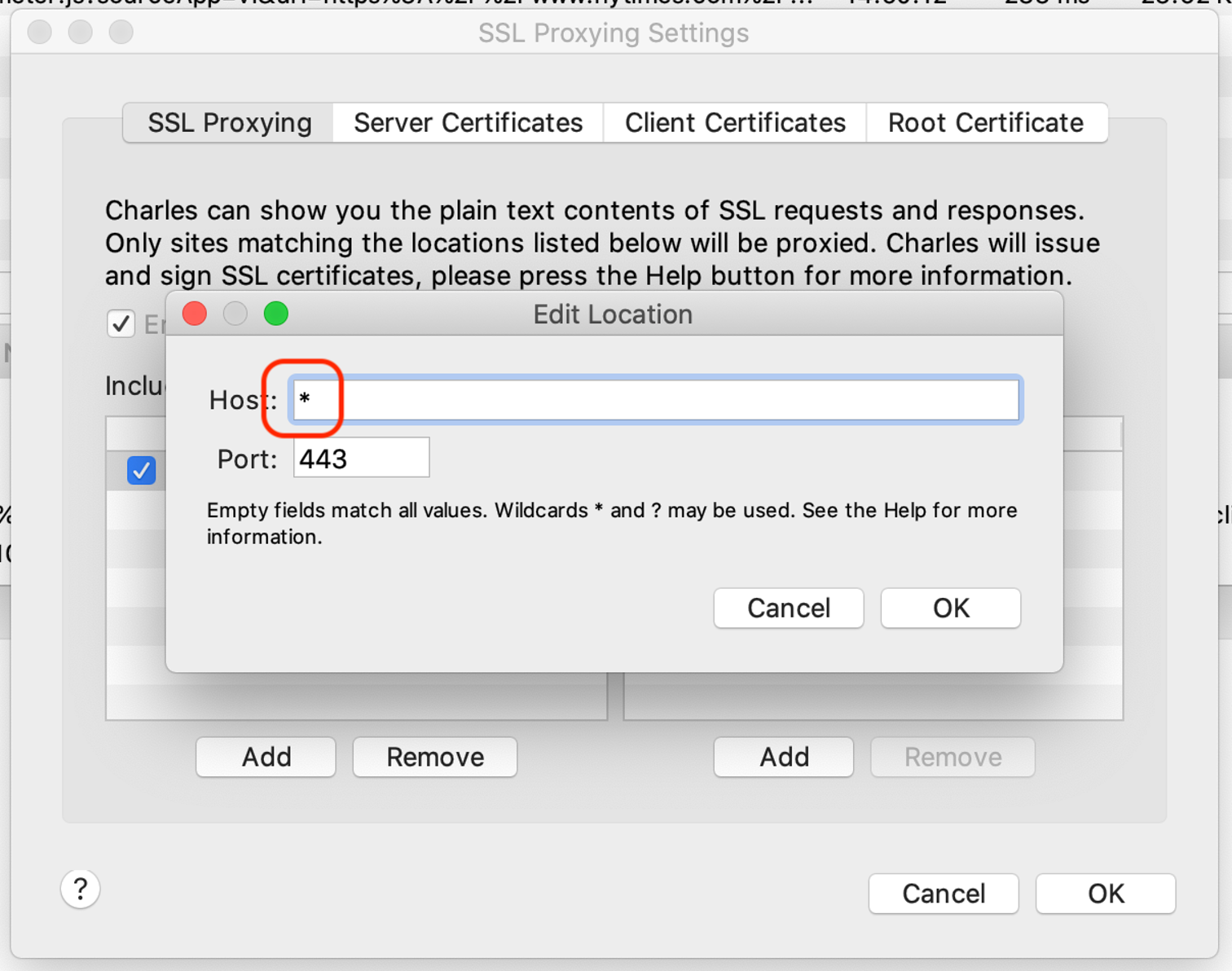
3. We can do SSL Proxying.
Charles Proxy allows for SSL proxying, meaning it can decrypt and inspect encrypted HTTPS traffic, giving you full visibility into encrypted communication, which is crucial for debugging secure applications.
4. We can use Charles across different platforms (not only for web, but even devices such as phones!)
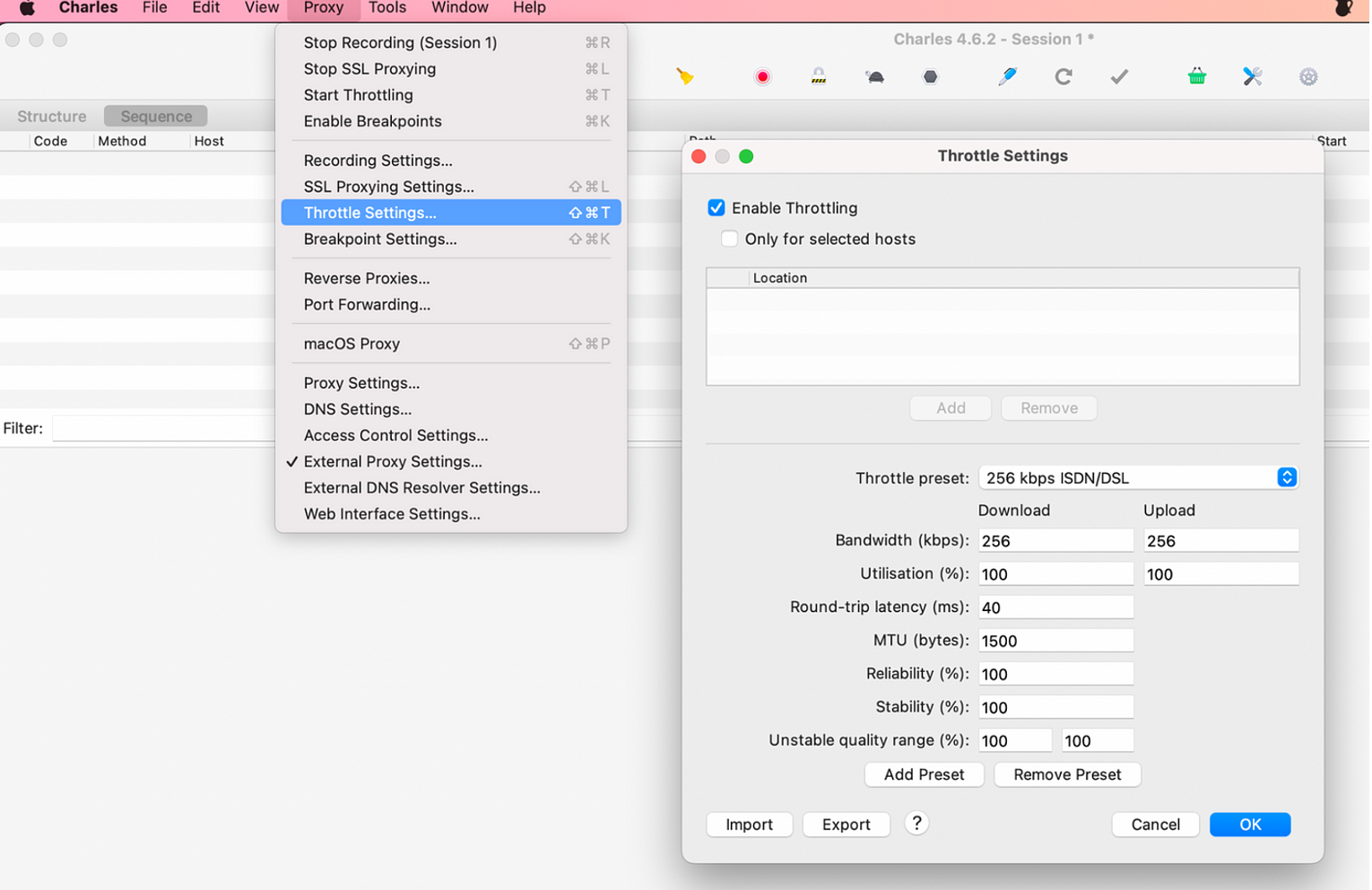
5. We can throttle and create different bandwidth simulations.
You can simulate different network conditions such as slower connections, dropped connections, or limited bandwidth to test how your application performs under various network scenarios.
However, the downsides of Charles are:
1. Paid Software.
While Charles Proxy offers a free trial, it's ultimately a paid software, which might be a deterrent for some users, especially those who have budget constraints.
2. Steep Learning Curve
For beginners, Charles Proxy can have a bit of a learning curve, especially when it comes to understanding all its features and how to effectively use them for debugging and testing. But not to worry, I can create an easy step by step guide to get you all set up with Charles!
3. Resource Intensive.
4. Running Charles Proxy alongside other applications can consume significant system resources, especially if you're dealing with a large amount of network traffic or SSL decryption.
5. Limited API Testing Features.
While Charles Proxy is excellent for inspecting and manipulating network traffic, it lacks the comprehensive API testing features found in dedicated tools like Postman, such as automated testing, request collections, and scripting capabilities.
Overall, Charles Proxy is a powerful tool for network debugging and analysis, but it may not be suitable for all use cases, particularly those requiring extensive API testing capabilities or those with limited budgets.
How do we use Postman?
Well, firstly Postman provides User-Friendly Interface.
1. Postman provides a clean and intuitive interface, making it easy for developers to create, test, and manage API requests without requiring extensive technical knowledge.
2. Us, testers can carry out comprehensive API Testing.
Postman offers a wide range of features for API testing, including support for various HTTP methods, setting headers and parameters, handling authentication, organising requests into collections, and running automated tests.
3. We can use postman to collaborate together!
Postman enables team collaboration by allowing users to share collections, workspaces, and environments, facilitating better communication and coordination among team members working on API projects.
4. We can use this when we automate.
Postman provides scripting capabilities using JavaScript, allowing users to automate tests, set up pre-request and post-request scripts, and perform data-driven testing, thereby saving time and improving efficiency.
6. We can mock Servers.
Postman allows you to create mock servers, which simulate API responses without needing the actual backend implementation. This is useful for frontend developers to start building applications before the backend is fully developed.
7. Environment Management.
Postman lets you define environments with variables, making it easy to switch between different environments (e.g., development, staging, production) without modifying individual requests.
However, lets now see the limitations of Postman:
1. Limited Network Debugging.
While Postman allows you to inspect request and response details, it's not as robust as dedicated network debugging tools like Charles Proxy for analysing low-level network traffic.
2. Learning Curve for Advanced Features.
While the basic features of Postman are straightforward to use, mastering advanced features such as scripting and automation may require some learning for users who are new to API testing and development. (Not to worry, I will have you covered!)
3. Resource Intensive for Large Collections.
Working with large collections of requests or running extensive automated tests in Postman can be resource-intensive and may slow down the application.
4. Dependency on External Services.
Postman's collaboration features rely on external services provided by Postman, which means users are dependent on these services for collaboration functionalities.
5. Limited Support for Non-HTTP Protocols.
Postman primarily focuses on testing HTTP-based APIs and may not offer extensive support for testing APIs based on other protocols.
Let’s summarise!
Overall, Postman is a versatile tool for API development and testing, offering a wide range of features to streamline the API development lifecycle. However, it may not be suitable for advanced network debugging or testing protocols other than HTTP. Whereas Charles Proxy is primarily for inspecting and debugging network traffic, while Postman is focused on API development, testing, and automation. Depending on your needs, you may use one or both tools in your development and testing workflows.
API